
CAP / 01
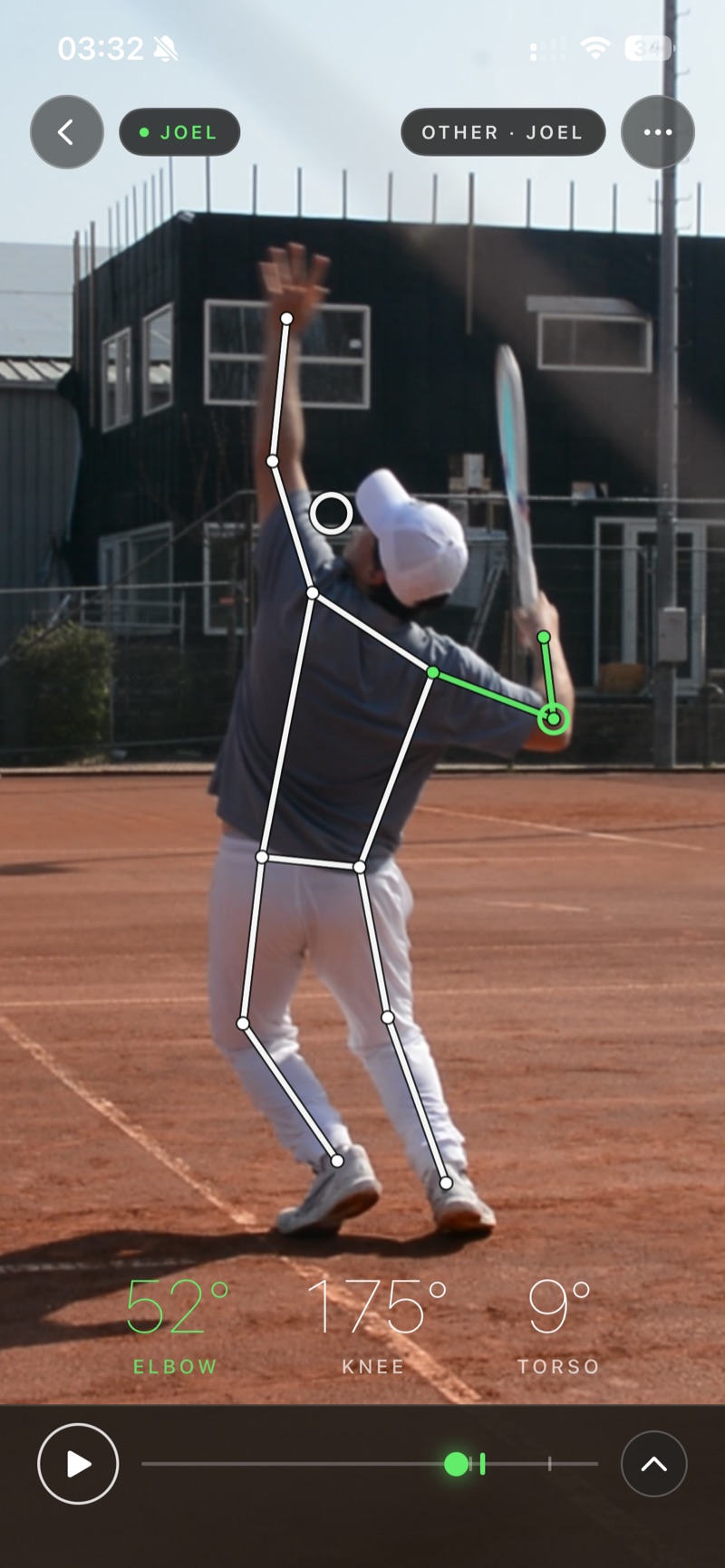
Every joint, every frame
Vision tracks your whole body through the motion and pins the angle at any joint you tap. Numbers you can coach to — not a feeling.
In development · TestFlight beta soon
Film a stroke on an iPhone. Vision draws the skeleton over every frame, reads the real joint angles, and lines two strokes up side by side — so you can see, frame by frame, what changed.
For players and coaches · iPhone, iOS 17+
How it works
Three steps, all on the device in your hand. No rig, no markers, no upload.
Record in the app, or pull a clip from the camera roll. The import runs out-of-process — Vision never asks for your photo library.
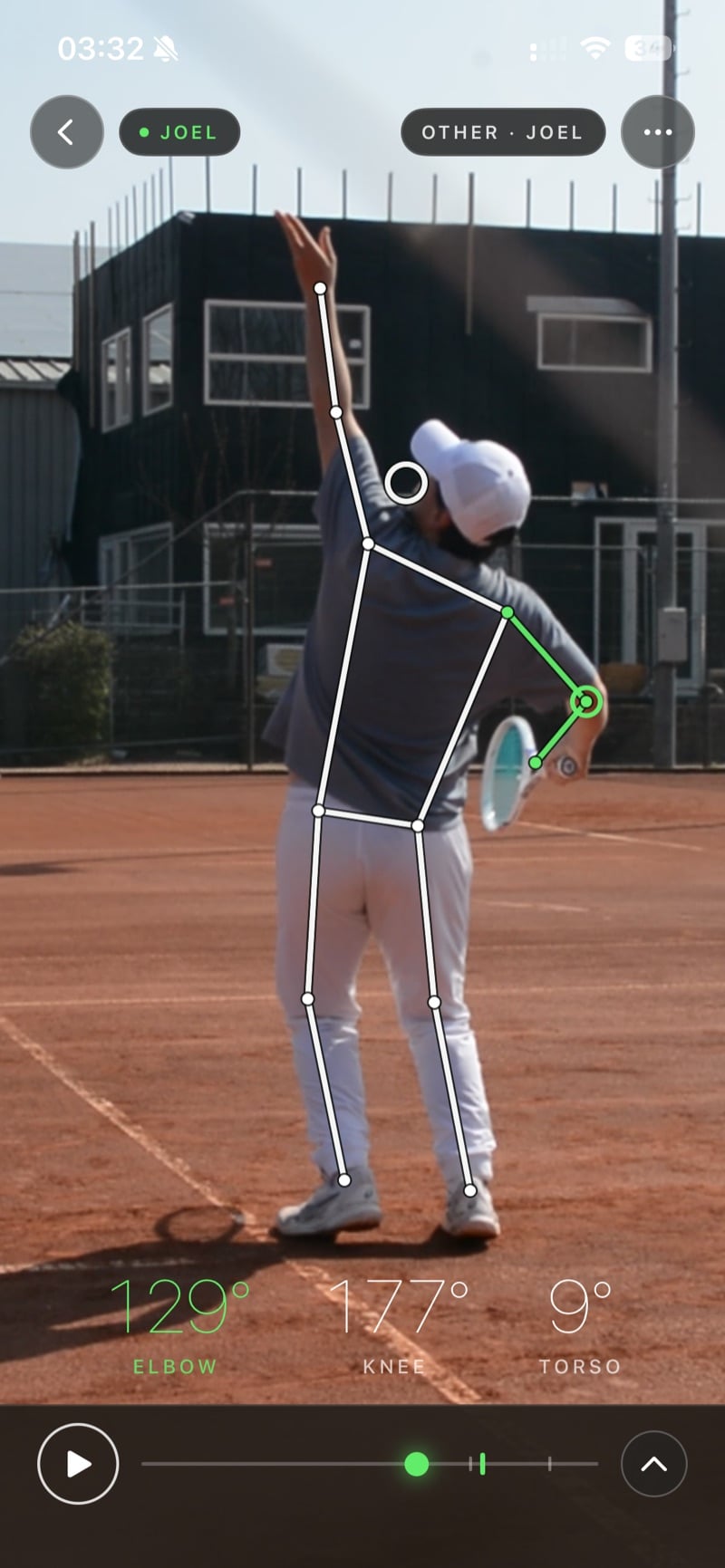
records · importsApple's Vision framework finds your joints in each frame and draws a smoothed skeleton — on the iPhone, so the video never leaves it.
VNDetectHumanBodyPoseTap a joint to pin its angle and watch it move through the swing — elbow, knee, torso, hip–shoulder separation.
elbow · knee · X-factor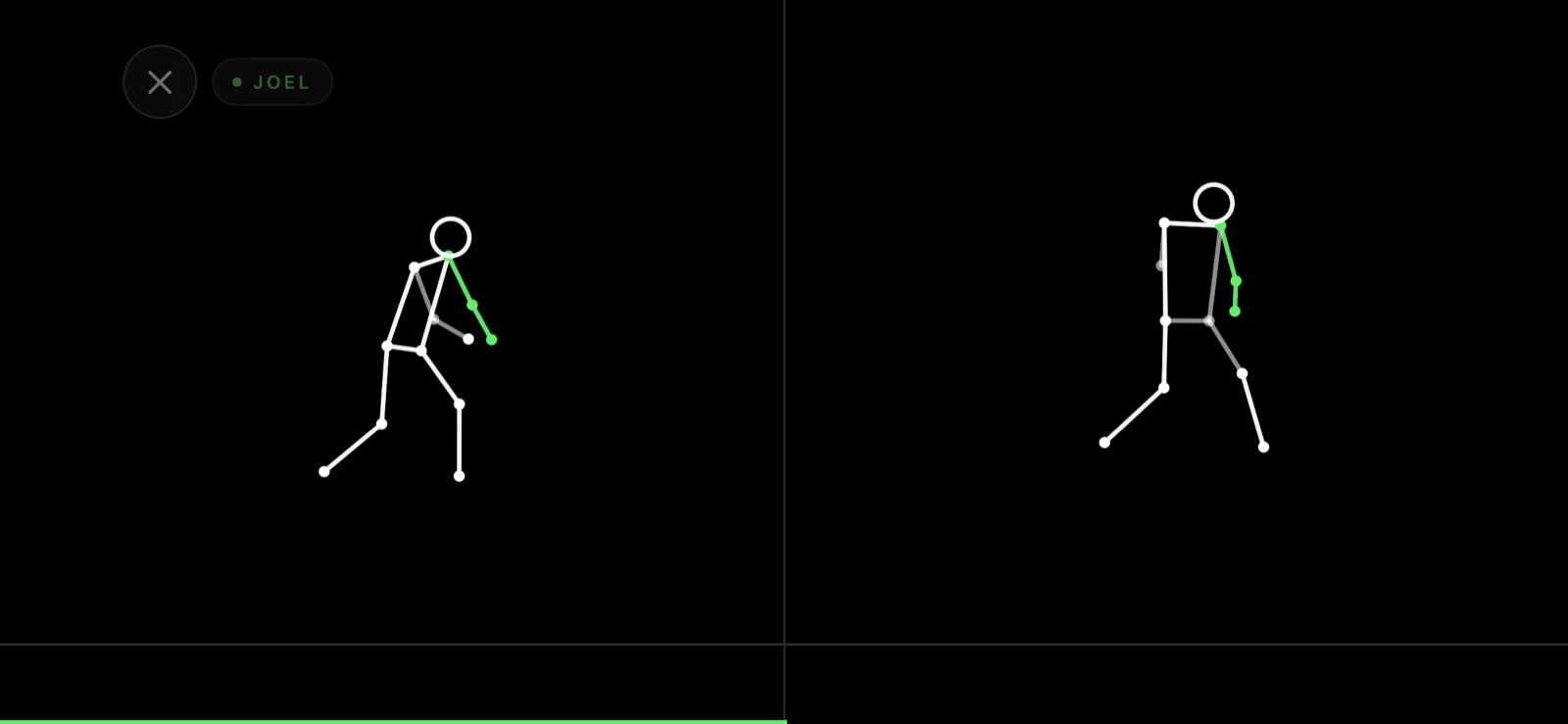
What it does
Vision tracks your whole body through the motion and pins the angle at any joint you tap. Numbers you can coach to — not a feeling.
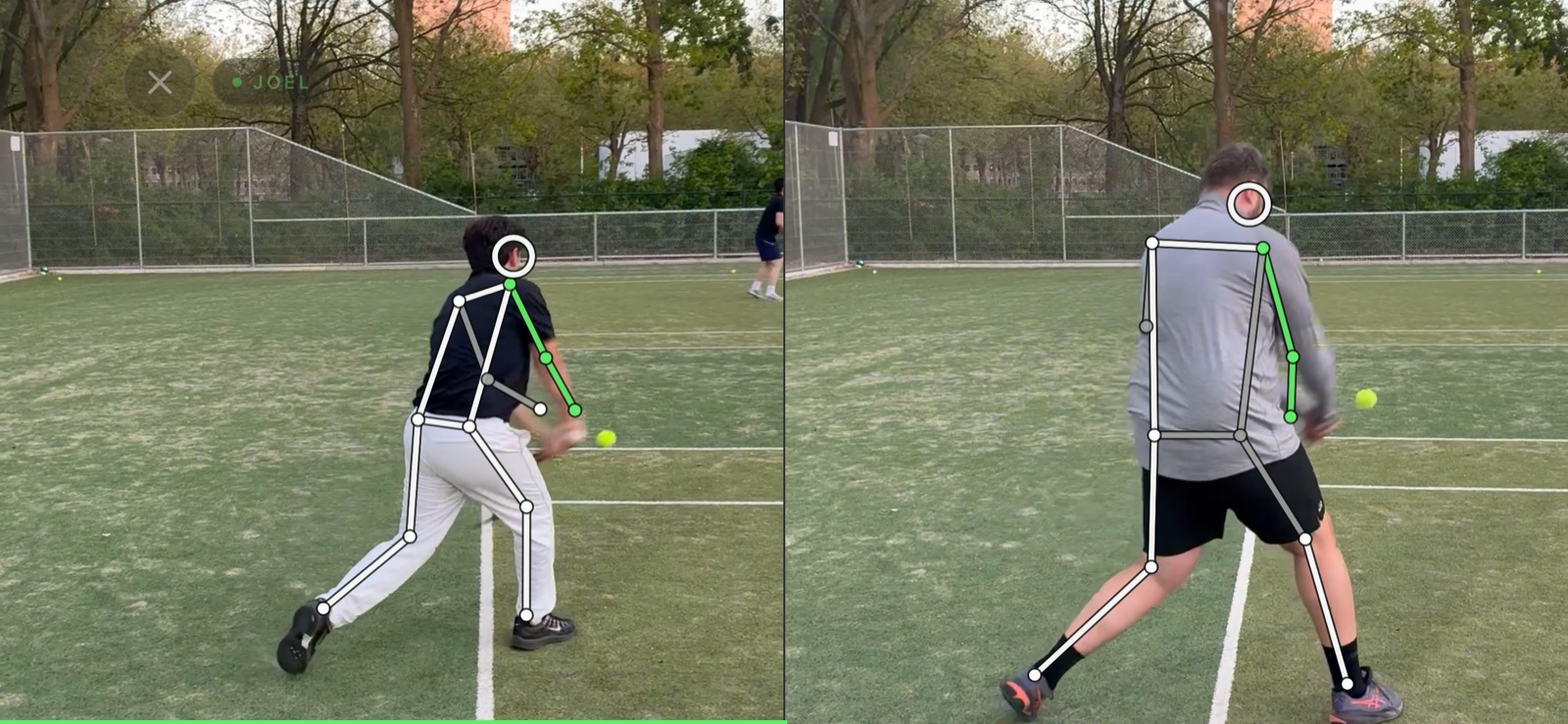
Put today next to last month, or next to a reference clip. Playback aligns by progress through the stroke, not the clock — so a 1.8-second serve and a 2.4-second serve stay in phase the whole scrub.
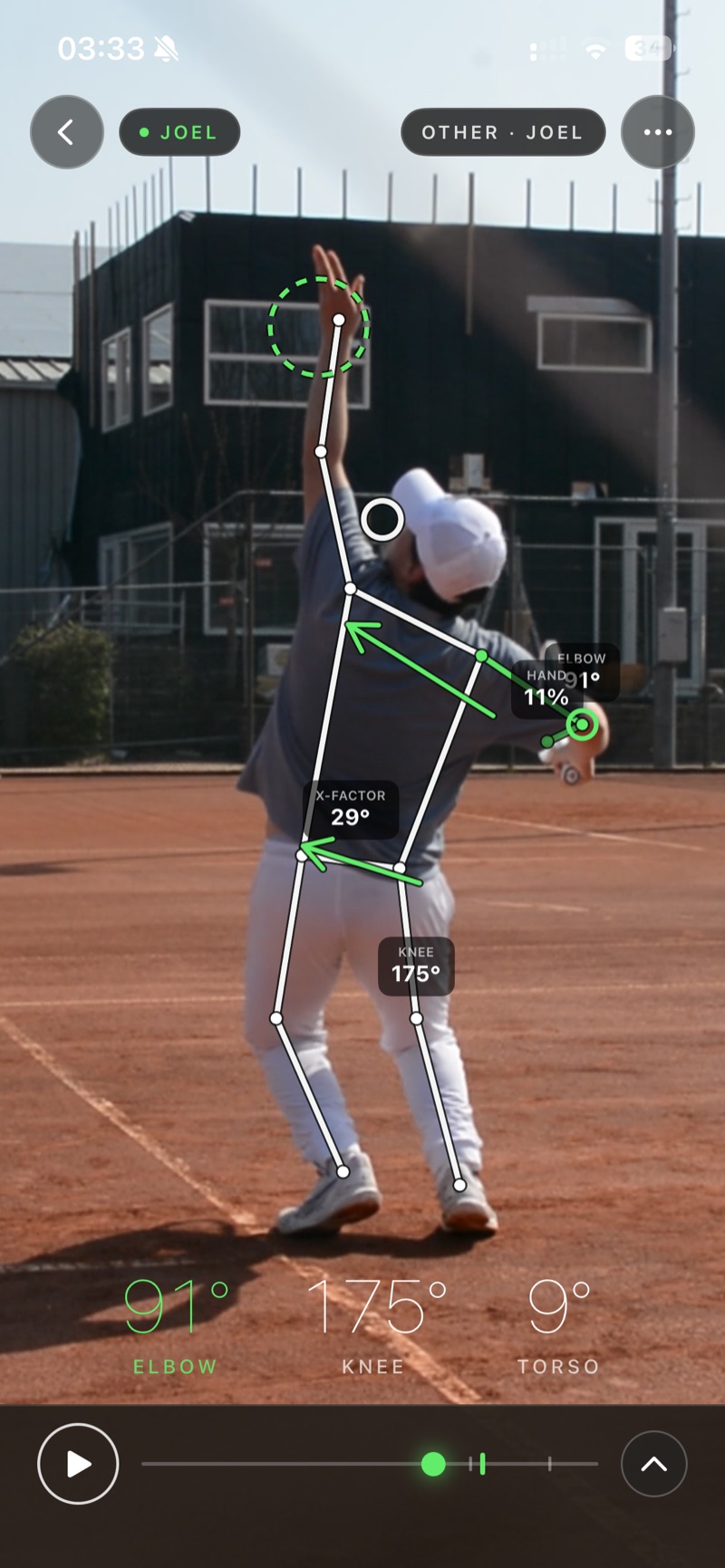
Past single angles: hip–shoulder separation (X-factor), hand lag, and the kinematic sequence — drawn on the swing as it happens.
Who it's for
No coach at the session? Film a serve, check the angles, and put it next to your best one from last week.
Ask a student for a clip and send back the exact moment that matters — frame by frame, side by side, on the footage they hit.
Under the overlay
Real computer vision under the skeleton — not a filter.
Vision grew out of a thesis on pose-based technique retrieval. Every stroke is estimated frame by frame, aligned, and resampled to a common length — so two movements can be compared honestly, and eventually matched against a whole library.
The side-by-side you can use today is the first layer. Matching your swing against a library of reference strokes is next.
PIPELINE pose → align → resample 120f → match (next)
The beta
A TestFlight beta is opening soon. Mail us and you're in the first round of players and coaches to get it.
Join the betaBuilt by Contakt, the company behind Contakt Academy.